
In This Article
An air purifier for shared office use is a portable or floor-standing air cleaner sized for a multi-person workspace. It pairs a True HEPA filter, which traps fine particles, with activated carbon, which adsorbs odors and gases. It also moves enough air, measured as CADR, to cycle the room several times an hour.

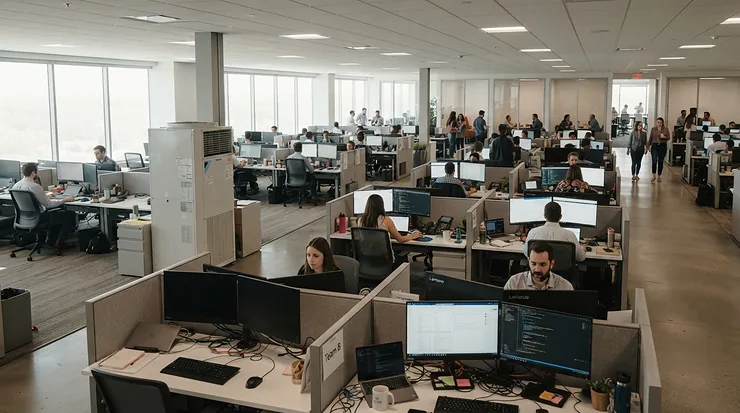
Here’s the thing about shared offices: nobody owns the air. Twelve people, one HVAC vent, a laser printer humming in the corner like a tiny factory, and a thermostat war nobody will win. Somewhere in that mix, particles and chemical vapors drift around, and no one’s job description says “fix it.”
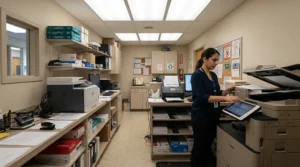
The printer is the genuine wild card. Queensland University of Technology’s air-quality lab reported that roughly 30% of the laser printers it tested were high emitters of ultrafine particles. Follow-on research ties printer toner fumes and VOCs to how those particles form. Health effects are still being studied, so treat this as a sensible-precaution story, not a panic story.
This guide covers seven real products, with specs translated into everyday meaning. Review sentiment is summarized honestly as aggregated reviewer findings, never invented quotes, and prices are shown as ranges. Along the way we’ll cover smart features, air quality monitoring, and sizing for a coworking space. Choosing the right air purifier for shared office use comes down to two numbers: airflow (CADR) and how much carbon is inside.
Quick Comparison Table: Best Picks for a Shared Office at a Glance
| Pick | Best For | Manufacturer Room Rating | Carbon Strength | Smart Control |
|---|---|---|---|---|
| Levoit Core 600S | Open-plan teams on a budget | ~635 sq ft | Light | Yes (app) |
| Coway Airmega 400S | Large floors, app-managed | Up to 1,560 sq ft | Light-to-moderate | Yes (app) |
| Austin Air HealthMate | Print stations, chemical odors | Up to 1,500 sq ft | Heavy (15 lb) | None |
| Alen BreatheSmart 75i | Flexible filter needs | Up to ~1,300 sq ft | Selectable | Yes (app) |
| IQAir HealthPro Plus XE | Premium, ultrafine focus | Up to 1,125 sq ft | Strong gas stage | Yes (app) |
| Smart Air Blast Mini | Quiet, high airflow | Up to ~703 sq ft | Optional add-on | No app |
| Coway Airmega Mighty AP-1512HH | Small rooms, tight budgets | ~360 sq ft | Light | No |
Room ratings use different air-change assumptions from brand to brand, so treat them as rough guides and compare CADR when you can. The Levoit Core 600S and Coway Airmega 400S are the best fits when particles and app control matter most. The Austin Air HealthMate is the pick when chemical odor is the main complaint.
💬 Just one click — help others make better buying decisions too!😊
Top 7 Air Purifiers for Shared Office Spaces: Expert Analysis
1. Levoit Core 600S — big airflow for a small invoice
This one is about airflow per dollar, and few machines in its class match it. The Levoit Core 600S is listed at 410 CFM CADR, with an H13 True HEPA stage plus an activated carbon layer. Do the arithmetic: in a 500 sq ft room with 8-foot ceilings, that’s roughly six air changes an hour. Its manual lists noise from about 26 to 55 dB, so low settings blend into HVAC hum while max speed is unmistakably a fan.
Based on the spec comparison, buy this when particles are the headline complaint: dust, street haze, seasonal allergens. The catch is that the carbon layer is a slim sheet rather than a deep bed, so it softens everyday odors but shouldn’t be your only defense beside a busy laser printer. The VeSync app, live PM2.5 readout, and auto modes suit managers who’d rather glance at a phone than inspect a filter.
Reviewer testing is encouraging. HouseFresh reported that it cleared incense smoke from its test room in under 15 minutes, and review roundups mostly grumble about its plain, boxy styling rather than its performance.
Pros:
- ✅ 410 CFM CADR at a mid-range price
- ✅ App with live PM2.5 and filter tracking
- ✅ Quiet enough on low settings
Cons:
- ❌ Thin carbon layer for heavy fumes
- ❌ Utilitarian, boxy styling
Price range: roughly $200-$300; check current price. Verdict: the best value on this list for particle control.
2. Coway Airmega 400S — the app-managed floor-sized workhorse
Built for big, shared rooms, the Coway Airmega 400S pairs two Max2 filters (carbon plus HEPA) with two washable pre-filters. Its CADR is listed at 328 for smoke and dust and 400 for pollen. Coway rates it for 1,560 sq ft, but that’s at only two air changes an hour. A more useful way to read it: about 450-550 sq ft at nearly five changes an hour, which is where it works best.
My read: this is the manager-friendly option. The IoCare app handles scheduling, filter alerts, and real-time air quality monitoring, and timers run 1, 2, 4, or 8 hours. At 64 watts and Energy Star certified, it’s also gentle on the utility bill. Like the Levoit, its carbon is a layer rather than a reservoir, so pair it with a heavier-carbon unit if a printer lives nearby.
Reviewers consistently praise the sensor-driven auto mode, which lets the machine idle quietly instead of roaring all day. The recurring knock is price: comparison roundups note that similar CADR is available for less.
Pros:
- ✅ Sensor-driven auto mode adapts to occupancy
- ✅ Two washable pre-filters and two Max2 filters
- ✅ Energy Star certified at 64 watts
Cons:
- ❌ Costs more than similar-CADR rivals
- ❌ Modest carbon for heavy chemical loads
Price range: roughly $350-$550, depending on model (400 vs. 400S) and promotions; check current price. Verdict: worth it for polished app control on a large floor.
3. Austin Air HealthMate — the heavyweight carbon bed for print corners
Fifteen pounds of carbon and zeolite is the story here. The Austin Air HealthMate pushes air through two pre-filters, a granular carbon and zeolite canister, and 60 sq ft of medical-grade HEPA. The zeolite adds coverage for compounds like formaldehyde and ammonia, and the fan is rated around 400 CFM on high. A thin carbon sheet saturates quickly; a deep bed keeps working.
Here’s what to weigh: the 1,500 sq ft rating is optimistic. In HouseFresh’s testing it needed 52 minutes to clear its test room, much slower than high-CADR rivals. So treat it as a zone defender, parked near the print station or in a 300-400 sq ft room, not as your whole-floor solution. Austin claims up to five years per filter pack in home use; a 10-hour office day with printing will likely shorten that.
HouseFresh calls it the strongest choice for severe chemical-gas and odor problems, and its long filter life keeps running costs low. I couldn’t verify a large pool of recent independent owner reviews, so lean on that testing data.
Pros:
- ✅ 15 lbs of carbon and zeolite for gases
- ✅ Filter pack rated up to five years
- ✅ US-built steel body, 5-year warranty
Cons:
- ❌ No app, sensor, or smart features
- ❌ Slow room-clearing and heavy to move
Price range: roughly $600-$800; check current price. Verdict: low long-run cost, and the best fit for toner-corner odor.
4. Alen BreatheSmart 75i — pick your filter, pick your fight
The Alen BreatheSmart 75i lets you choose the filter: Pure (plain HEPA), Fresh (adds carbon for odors and VOCs), or Odor. Its CADR is 347 CFM, and Alen’s turbo speed is listed at 375 CFM. Alen’s coverage claims vary by page, so size it by CADR rather than the square-footage headline. The Alen Air app and SmartSensor auto mode handle fan speed and filter reminders.
Honest analysis: it’s the most customizable mid-premium pick, which suits an office whose needs may shift. TechHive’s review described the airflow as forceful, arguably better suited to commercial venues than homes, and noted it gets loud at higher speeds. One retailer reviewer complained that a more carbon-heavy filter option had been discontinued, so confirm the current Fresh or Odor filter availability before buying. Another review called the app’s functionality limited.
Pros:
- ✅ Pure, Fresh, and Odor filter options
- ✅ Sensor-driven automatic fan speed
- ✅ Strong 347 CFM CADR for big rooms
Cons:
- ❌ Loud at upper fan speeds
- ❌ App described as limited by reviewers
Price range: roughly $450-$750, depending on filter type and retailer; check current price. Verdict: good for mixed odor-and-particle offices, provided you buy the carbon-equipped filter.
5. IQAir HealthPro Plus XE — premium ultrafine and gas defense
The IQAir HealthPro Plus XE layers a PreMax pre-filter, a V5-Cell gas and odor stage, and HyperHEPA rated to capture at least 99.5% of particles down to 0.003 microns. It’s rated for up to 1,125 sq ft, and the XE version connects to the AirVisual app. Since printer emissions skew toward ultrafine particles and VOCs, this pairing of fine-particle and gas stages is the spec sheet that best matches the problem.
Manufacturer materials cite a HouseFresh test that cleared its room in about 25 minutes, which is fast. The trade-offs: filters are costly, and reviewers describe the unit as large. Mixed retail reviews are worth a look, too. One major retailer’s listing showed a surprisingly low average from a small pool of ratings, so read the recent reviews and weigh them against the professional testing.
Pros:
- ✅ HyperHEPA rated to 0.003 microns
- ✅ V5-Cell stage targets gases and odors
- ✅ App-enabled with a more efficient fan
Cons:
- ❌ High upfront and replacement-filter costs
- ❌ Bulky footprint near desks
Price range: roughly $900-$1,300; check current price. Verdict: the premium choice for a small, printer-adjacent room where budget isn’t the constraint.
6. Smart Air Blast Mini — the quiet brute that needs a carbon add-on
Despite the name, the Smart Air Blast Mini is not small. Its manufacturer-listed CADR is 437 CFM, and HouseFresh measured about 400 CFM at top speed and 272 CFM while staying under 45 dBA. That means serious airflow without drowning out a video call. It uses an H13 HEPA filter inside a metal body with a removable pre-filter.
One catch matters a lot for printer fumes: carbon isn’t included. The pelleted-carbon VOC filter is an optional extra, and for an office with printer fumes you should treat it as mandatory. HouseFresh said it cleared its test room in about 15 minutes. A reviewer’s upkeep estimate lands in the high-$200s per year.
The design has no app-connected smart features in the published specs I reviewed. Availability varies by retailer, so confirm where you can buy it before committing.
Pros:
- ✅ Over 400 CFM with restrained noise
- ✅ Full-metal body, removable pre-filter
- ✅ Optional pelleted carbon add-on
Cons:
- ❌ Carbon filter not included
- ❌ No app or smart controls
Price range: roughly $550-$650; check current price. Verdict: best for rooms up to ~700 sq ft where quiet power matters.
7. Coway Airmega Mighty AP-1512HH — the budget pick for small rooms
The Coway Airmega Mighty AP-1512HH lists CADR figures of roughly 246 (smoke), 240 (dust), and 233 (pollen), enough for about 360 sq ft by the two-thirds rule. It pairs True HEPA with a carbon-impregnated fabric layer. For a meeting room or a printer nook, that’s plenty of particle-cleaning muscle.
Honestly, carbon is the soft spot. Reviewers prefer pelleted carbon for odors, and a fabric layer fades faster under heavy VOC loads. Think of the Coway Airmega Mighty AP-1512HH as a particle-first, odors-second machine. It has no Wi-Fi, which some office managers will count as a perk (no network setup).
Roundups consistently position it as the value choice under about 360 sq ft. I couldn’t verify a large pool of recent independent owner reviews, so lean on the testing data.
Pros:
- ✅ True HEPA plus carbon at a low price
- ✅ Right-sized for ~360 sq ft rooms
- ✅ No Wi-Fi setup headaches
Cons:
- ❌ Carbon is a thin fabric layer
- ❌ Too small for open-plan floors
Price range: roughly $150-$200; check current price. Verdict: the smart buy for a small room.
Top 7 Comparison Table: Specs, Price Ranges, and Best Use
| Pick | CADR (CFM) | Filtration | Price Range | Best For |
|---|---|---|---|---|
| Levoit Core 600S | 410 | H13 HEPA + carbon | $200-$300 | Budget open-plan |
| Coway Airmega 400S | 328 (smoke) | Max2 carbon + HEPA | $350-$550 | App-managed floors |
| Austin Air HealthMate | Not AHAM-listed in my research | HEPA + 15 lb carbon/zeolite | $600-$800 | Printer corners |
| Alen BreatheSmart 75i | 347 | Pure/Fresh/Odor HEPA | $450-$750 | Flexible needs |
| IQAir HealthPro Plus XE | Not verified | HyperHEPA + V5-Cell | $900-$1,300 | Premium small rooms |
| Smart Air Blast Mini | 437 (mfr.) | H13 HEPA (+ optional carbon) | $550-$650 | Quiet airflow |
| Coway Airmega Mighty AP-1512HH | 246 (smoke) | HEPA + carbon fabric | $150-$200 | Small rooms |
The Levoit Core 600S delivers the most CADR per dollar, but it’s the weakest at gas removal. If printer toner fumes dominate your complaints, the Austin Air HealthMate or a carbon-equipped Smart Air Blast Mini justifies the extra spend. Budget buyers should note that the Coway Airmega Mighty AP-1512HH trades coverage for its low price.
✨ Don’t Miss These Top Picks!
🔍 Take your office air to the next level with these carefully selected products.Click on any highlighted item to check current pricing and availability. These picks will help you create a cleaner, fresher workspace your whole team will appreciate!
Setup Guide: Placing and Maintaining Your Purifier Near a Printer (First 30 Days)
Getting the machine out of the box is the easy part. Where it sits and how it’s maintained decide whether it actually works.
Day 1: Placement
- Put the unit between the printer and the nearest desks, not behind a cabinet.
- Leave open space around the intake and outlet. Most manufacturers recommend clearance from walls.
- Better still, move the printer away from workstations. Researchers who reviewed reducing printer ultrafine particles point to printer choice, filtration, and keeping equipment away from workstations as the main levers.
Week 1: Settings
Run auto mode on any model with a sensor (the Levoit Core 600S, Coway Airmega 400S, and Alen BreatheSmart 75i all have one). On the Austin Air HealthMate, set a steady medium speed during working hours. Schedule the unit to start an hour before people arrive.
Ongoing: Maintenance
- Vacuum or rinse pre-filters every two to four weeks.
- Log filter-change dates on a shared calendar.
- Replace HEPA and carbon on the manufacturer’s schedule. Coway quotes 6-12 months for its Max2 filter, and offices running 10-hour days should lean toward the short end.
Common First-30-Day Mistakes
- Blocking the intake with boxes.
- Parking the unit in a corner where airflow stalls.
- Running it on “sleep” all day.
- Forgetting to assign filter duty to a named person.

Real-World Scenarios: Three Offices, Three Smart Matches
The 12-person startup (900 sq ft, light printing)
Budget: roughly $400-$600. Usage: nine hours a day, weekdays. By the two-thirds rule, 900 sq ft calls for about 600 CFM of CADR. Two Levoit Core 600S units give 820 CFM combined, so each can run at modest speed and stay quiet. The printer, used lightly, doesn’t justify heavy carbon.
The coworking floor (1,500 sq ft, shared print station)
Budget: roughly $1,300-$1,900. The floor wants about 1,000 CFM. Two Coway Airmega 400S units (about 656 CFM combined) plus an Austin Air HealthMate at the print station lands in the “good, not perfect” zone. A third Coway Airmega 400S closes the gap if funds allow. This setup also gives managers app visibility across the floor.
The three-person law office (250 sq ft, printer six feet from desks)
Budget: roughly $600-$1,300. The printer is the problem, so carbon depth wins. The Austin Air HealthMate is the value pick. The IQAir HealthPro Plus XE is the premium alternative if budget is open. Either way, moving the printer into a ventilated corner helps more than any filter.
Problem → Solution: Five Shared Office Air Headaches, Fixed
- “The print station smells like a hot plastic factory.” Add a deep carbon bed: the Austin Air HealthMate, or a Smart Air Blast Mini with its optional carbon filter. Also move the printer away from desks.
- “The purifier is too loud on calls.” Oversize your CADR so the machine can run slower. The Smart Air Blast Mini reportedly delivers about 272 CFM while staying under 45 dBA.
- “People get headaches, but nobody knows why.” Start air quality monitoring before buying more hardware. Stuffiness is often a ventilation problem, not a filter problem.
- “Nobody changes filters.” Choose filter-life indicators and reminders. The Coway Airmega 400S, Alen BreatheSmart 75i, and Levoit Core 600S all offer them. Pair that with a named owner.
- “Dust and allergy complaints every spring.” A high-CADR, particle-first unit like the Levoit Core 600S is the simplest fix.
How to Choose an Air Purifier for Shared Office Spaces
Pick with a checklist, not a vibe. Here’s the sequence that works.
- Measure the room. Multiply length by width, and note ceiling height. Taller ceilings need more airflow.
- Apply the two-thirds rule. Aim for a smoke CADR of at least two-thirds of the floor area in square feet; a 600 sq ft room wants roughly 400 CFM.
- Prioritize the smoke CADR. EPA’s guide to air cleaners advises choosing a high smoke CADR to remove the smallest particles.
- Match carbon to the problem. EPA notes that gas removal requires an activated carbon filter or similar. If printers or new furniture are the issue, buy more carbon, not just more airflow.
- Check noise at working speed. A purifier that’s silent on “sleep” and deafening on “auto” fails in an office.
- Calculate filter cost and availability. Cheap machines with pricey, hard-to-find filters become expensive fast.
- Skip ozone generators. EPA warns that ozone generators sold as air cleaners intentionally produce ozone, a lung irritant. Avoid them in shared spaces.
Follow these seven steps and the shortlist on this page narrows itself.
Printer Toner Fumes: What the Research Actually Shows
Not all printers emit equally
Research from the Queensland University of Technology team found about 30% of tested laser printers were high emitters of ultrafine particles. A separate monitoring study in a Brisbane building found 25 of 62 printers (about 40%) emitting particles. In other words, your printer might be a problem, or it might not.
Where the particles come from
Studies suggest many ultrafine particles aren’t toner dust itself. They form when VOCs from paper and toner condense near the hot fuser. Emissions also tend to be higher with full cartridges and heavy print jobs. Ozone can react with printer VOCs to form additional aerosol particles.
What it means for you
The health consequences are still under study, so don’t over-read this. But the practical takeaways are clear:
- Ventilation matters.
- Distance from workstations matters.
- Filtration that handles both particles and gases is a reasonable precaution.
That last point leads straight to the filter spec that matters most.
Air Purifier for Office With Printer Fumes: The Filter Spec That Matters
HEPA handles particles; carbon handles gases
Particles and gases need different tools. EPA states that gas-phase filters like activated carbon target specific gaseous pollutants, and that no filter removes everything. So for an air purifier for office with printer fumes, you need both a good HEPA stage and a meaningful carbon stage.
How much carbon is enough?
A thin carbon-coated sheet softens light odors. A deep granular bed, like the Austin Air HealthMate with its 15 lbs of carbon and zeolite, keeps adsorbing long after a sheet would be saturated. Pelleted carbon, available as an add-on for the Smart Air Blast Mini, sits in between.
Practical pairings
- Printer inside a small room: Austin Air HealthMate or IQAir HealthPro Plus XE.
- Printer in an open-plan corner: Smart Air Blast Mini with the carbon filter, plus a particle-focused Levoit Core 600S for the floor.
- Light printing, tight budget: Coway Airmega Mighty AP-1512HH, and keep expectations modest on odor control.
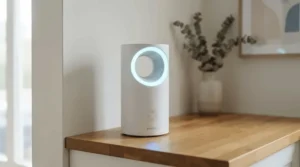
Smart Air Purifier for Office: Features That Matter (And Those That Don’t)
Features worth paying for
- Auto mode with a PM2.5 sensor. It scales fan speed with real conditions, which saves noise and energy.
- Filter-life tracking. The Coway Airmega 400S and Alen BreatheSmart 75i both flag replacement time.
- Scheduling. Having the unit ramp up before staff arrive is a quiet luxury.
- Network sanity. The Levoit Core 600S spec lists 2.4 GHz Wi-Fi. Check that against your office network rules before purchase.
Features that are mostly noise
Ionizers, “plasma” modes, and flashy light rings add little. EPA also notes that some air-cleaning technologies, like certain UV and photocatalytic units, have limits for gases. Spend on CADR and carbon first.
Smart isn’t a substitute for specs
A smart air purifier for office use with thin carbon still won’t tame printer toner fumes. Treat app control as a convenience layer on top of airflow and filtration, never a replacement for either.
Air Quality Monitoring: Your Office’s Early-Warning Dashboard
Why monitor at all?
You can’t manage what you don’t measure. Air quality monitoring turns “it feels stuffy” into a graph, showing when levels spike (print runs, lunch microwaves, a full house on Tuesdays) and whether your purifier is actually helping.
Built-in sensors: useful, but not gospel
Most built-in sensors on purifiers like the Levoit Core 600S and Coway Airmega 400S read particles (PM2.5). They’re excellent for spotting trends but are not laboratory instruments, and they say little about VOCs. Some premium units add gas-oriented indicators, but treat them as directional.
A simple monitoring routine
- Record a baseline for a week with the purifier off or at low.
- Compare print days with non-print days.
- Place a standalone monitor at desk height, not on the floor.
- Re-check after changing filters or moving the printer.
Good air quality monitoring pays for itself by telling you when to spend money and when to stop.
Air Purifier for Shared Office in a Coworking Space: Sizing, Noise, and Placement
Sizing a coworking space
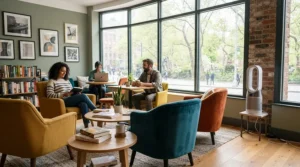
A coworking space has constant turnover, unpredictable occupancy, and zero shared ownership of the thermostat. Start with the two-thirds rule: a 1,500 sq ft floor wants roughly 1,000 CFM of smoke CADR. The Washington State Department of Health notes that rooms needing large CADR values may be better served by multiple air cleaners, which is practical advice here. Two Levoit Core 600S units give 820 CFM, covering most of that gap.
Noise etiquette
Phone booths and call zones need quiet. Place units away from them, run on auto, and avoid high-speed settings during peak hours. The Smart Air Blast Mini is a strong fit if call comfort matters.
Placement and ownership
- Put one unit near the print station and one near the busiest zone.
- Keep cords out of walkways.
- Post a visible “filter last changed” label.
- Assign one person (the community manager, ideally) to own maintenance.
Do those four things and a coworking space gets cleaner air without turning into a noisy experiment.
Long-Term Cost & Maintenance: The Real Price of Clean Air
Electricity is the small number
The Coway Airmega 400S is listed at 64 watts. Run for 10 hours a day, 250 days a year, that’s about 160 kWh, or roughly $24 annually at an assumed 15 cents per kWh. Your own rate will differ, but the point holds: filters cost more than power.
Filters are the big number
Most manufacturers specify roughly annual HEPA replacement, and heavy office use can shorten that. The Austin Air HealthMate is the outlier, with long-life filter packs that keep running costs low. A reviewer estimated the Smart Air Blast Mini at roughly the high-$200s per year in electricity plus filters. The IQAir HealthPro Plus XE carries notably pricey replacement filters.
Purifier vs. alternatives
| Approach | What It Handles Well | Where It Falls Short | Best For |
|---|---|---|---|
| Portable purifier (Levoit Core 600S) | Particles, fast room turnover | Gases, unless carbon is heavy | Most shared offices |
| Heavy-carbon purifier (Austin Air HealthMate) | Odors, VOCs, particles | Slow, no smart features | Print stations |
| Building HVAC filter upgrade | Building-wide particles | Landlord-controlled, limited capacity | Whole-floor baseline |
| Moving or enclosing the printer | Removes the source | Needs space and ventilation | Any office with a printer |
The best long-term value often combines approaches. Reduce the source (move or ventilate the printer), then filter what remains. A portable purifier is a strong second layer, not the only layer. If you can only afford one purchase, match it to your loudest complaint.
FAQ
❓ How many air purifiers does a coworking space need?
❓ Does an air purifier remove printer toner smell?
❓ How often should I replace filters in an office purifier?
❓ Are ionizers or ozone-producing purifiers safe for offices?
❓ Is a smart air purifier for office use worth the extra cost?
Conclusion
Shared offices share everything: the coffee machine, the Wi-Fi, and the air. A well-chosen air purifier for shared office use is the quietest upgrade you can make, and the research on printer toner fumes is a good reason to stop leaving it to chance.
Here’s the short version. If particles and budget lead, the Levoit Core 600S is the value champion. For app-managed large floors, the Coway Airmega 400S earns its premium. When printer fumes dominate, the Austin Air HealthMate and the carbon-equipped Smart Air Blast Mini are the strongest matches, with the IQAir HealthPro Plus XE as the premium route. The Alen BreatheSmart 75i suits flexible, mixed needs, and the Coway Airmega Mighty AP-1512HH handles small rooms on a budget.
Whatever you choose, add some air quality monitoring, assign a filter owner, and move the printer if you can. Your team’s lungs, and probably their focus, will thank you.
✨ Ready to breathe easier at work?
🔍 Click any highlighted product above to check current pricing and availability, and give your shared office the clean-air upgrade it deserves!
Recommended for You
- Desk Air Purifier For Office: 7 Best Quiet Picks (2026)
- Air Purifier For Home Office Allergies: 7 Best Picks (2026)
- Air Purifier For Small Kitchen: 7 Picks That Actually Work (2026)
Disclaimer: This article contains affiliate links. As an Amazon Associate, I earn from qualifying purchases. If you purchase products through these links, we may earn a small commission at no additional cost to you.
✨ Found this helpful? Share it with your friends! 💬🤗
